iPhone Repair Tips
iPhone Camera Not Working in Bali? Common Causes & Repair Options
Is your iPhone camera blurry, shaking, black, or unable to focus in Bali? Learn common causes, simple checks, and when professional camera repair may be needed.
 Bali Phone RepairRepair - Trade - Rental
iPhone Repair Tips
Is your iPhone camera blurry, shaking, black, or unable to focus in Bali? Learn common causes, simple checks, and when professional camera repair may be needed.
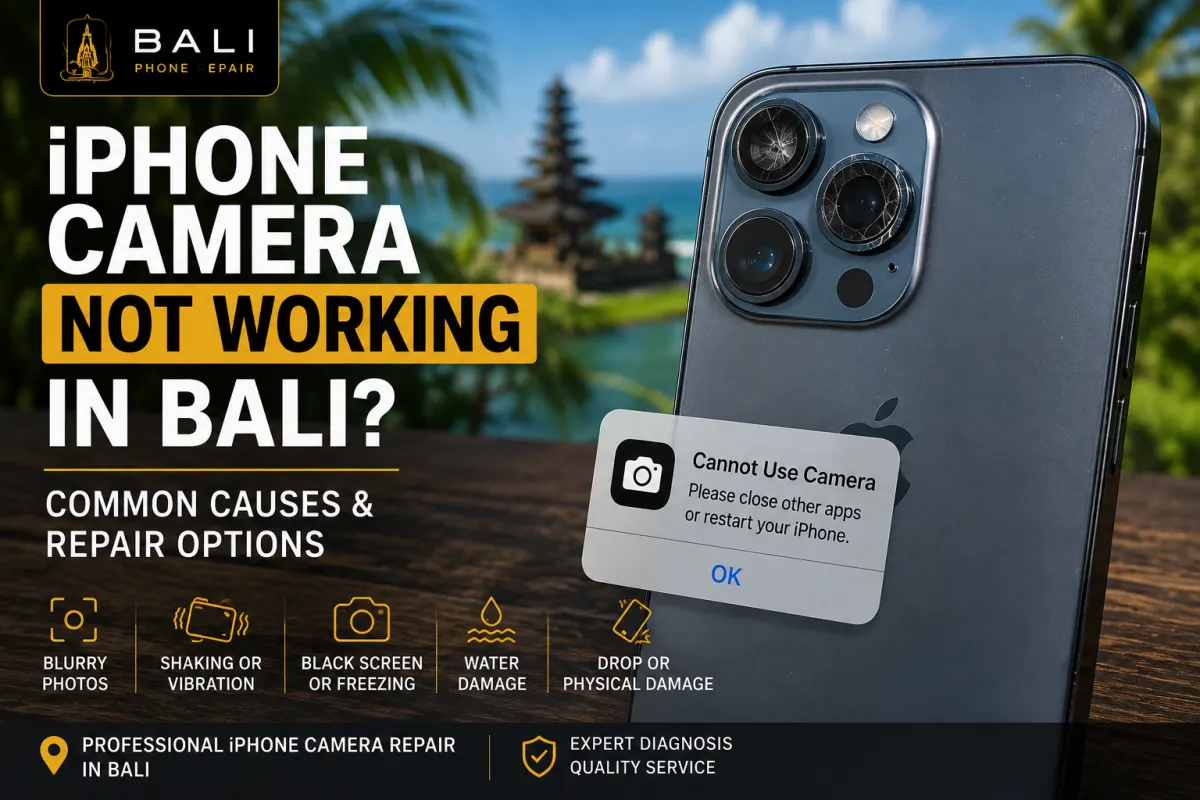
An iPhone camera can develop problems for several reasons. Sometimes the cause is relatively simple, such as a temporary software issue or dirt on the camera lens. In other cases, blurry images, shaking, a black camera screen, or failure to focus may indicate that the camera or another component needs professional inspection.
If you are in Bali and rely on your iPhone for travel photos, work, social media, navigation, or communication, a camera problem can quickly become frustrating.
Before assuming that the camera needs to be replaced, it is useful to identify exactly what the camera is doing and when the problem occurs.
Consider having your iPhone inspected if you experience symptoms such as:
These symptoms do not automatically mean that the camera module has failed. The cause should be diagnosed before replacement parts are recommended.
A blurry iPhone camera can have several possible causes.
Start by checking the camera lens for fingerprints, dust, moisture, or other contamination. A dirty lens can noticeably reduce image quality, particularly when taking photographs around bright lights.
A case or camera lens protector can also interfere with the camera in some situations. If you use one, remove it temporarily and test the camera again.
If the image remains blurry and the camera cannot focus correctly, especially after the phone has been dropped or damaged, professional inspection may be appropriate.
If the image appears to shake, vibrate, or move even when you are holding the phone still, the problem may require further diagnosis.
Some iPhone camera systems use hardware that helps with focusing and image stabilization. Physical impact or component problems can affect how these systems operate.
Before requesting a repair, restart the iPhone and test the camera using the standard Camera app. It can also be useful to check whether the problem occurs at every zoom level or only when using a particular camera.
If the shaking continues consistently, an inspection can help determine whether the problem is software-related or associated with the camera hardware.
A black camera screen does not always indicate a physically damaged camera.
Try closing and reopening the Camera app. You can also switch between the front and rear cameras to see whether the problem affects both cameras or only one.
Restarting the iPhone may resolve temporary software behaviour.
If one camera consistently displays a black image while another works normally, or the problem began immediately after physical or liquid damage, further diagnosis may be needed.
Before arranging an iPhone camera repair in Bali, try these basic checks:
These checks can help distinguish a temporary issue from a persistent camera problem.
A physical impact can affect more than the exterior of an iPhone.
Even when the rear glass or screen appears relatively undamaged, an impact can potentially affect internal components. Camera symptoms after a drop may include failure to focus, unusual shaking, a black image, or one camera no longer functioning correctly.
If the camera problem appeared immediately after an impact, mention this when requesting an inspection. Knowing how the problem started can make diagnosis more efficient.
If the drop also damaged the display, you can read our iPhone Screen Replacement Bali guide for information about cracked screens and display damage.
Camera problems following rain, pool water, seawater, spills, or another form of liquid exposure should be treated differently from an ordinary camera malfunction.
Moisture or corrosion can potentially affect the camera as well as connectors and other internal components. Replacing the camera without checking the rest of the device may therefore fail to address the underlying problem.
If the symptoms started after the iPhone became wet, see our iPhone Water Damage Repair Bali guide for more information about liquid-related diagnosis.
High temperatures can temporarily affect how an iPhone operates.
If the device becomes excessively hot, some functions may be limited until the phone returns to a normal operating temperature. This can be particularly relevant when using an iPhone outdoors in Bali for navigation, photography, video recording, or other demanding activities.
If your entire iPhone becomes unusually hot rather than the problem being limited to the camera, read our iPhone Overheating in Bali guide.
Do not try to cool an overheated iPhone rapidly with ice, a freezer, or direct exposure to very cold temperatures. Move the device away from the heat source and allow it to cool naturally.
No.
The correct repair depends on the cause of the problem.
A software issue, obstructed lens, accessory interference, or another device problem can sometimes produce symptoms that resemble camera failure. Conversely, physical damage to the camera hardware may require repair or replacement.
This is why diagnosis should come before parts replacement.
When basic troubleshooting does not solve the problem, Bali Phone Repair can inspect the iPhone to help determine what is causing the camera symptoms.
Depending on the problem, relevant checks may include:
The purpose of diagnosis is to determine whether the camera itself requires attention or whether another issue is responsible.
It is helpful to tell us whether the problem affects the front camera, rear camera, or both.
For example, if the rear camera is blurry but the front camera operates normally, that information helps narrow the diagnosis. Likewise, a front-camera problem accompanied by other related symptoms may require a different inspection from a simple rear-camera issue.
When contacting us, describe which camera is affected and whether the problem occurs continuously or only in particular applications or camera modes.
Repair time depends on the iPhone model, the cause of the camera problem, device condition, replacement part availability, and whether additional damage is discovered during inspection.
A software-related problem will obviously require a different approach from a physically damaged camera component.
If you are visiting Bali and need your phone for travel, work, bookings, or communication, contact us with the exact iPhone model and symptoms first so the appropriate next step can be discussed.
Camera problems can be inspected across many iPhone generations. The exact camera system and available repair options vary considerably between models.
When requesting assistance, send us the exact model if possible, such as iPhone 11, iPhone 12, iPhone 13, iPhone 14, iPhone 15, or another model.
If you are unsure which iPhone you have, we can help identify the model before discussing repair options.
Sometimes the camera is only one of several symptoms.
For example, an iPhone that was dropped may have both camera and display problems. A liquid-damaged device may develop camera, charging, speaker, or other symptoms. An unusually hot device may behave differently while its temperature is elevated.
Looking at the complete condition of the phone helps avoid treating one symptom while overlooking the actual cause.
For broader diagnosis and repair options, visit our iPhone Repair Bali service page.
If your iPhone camera is blurry, shaking, unable to focus, showing a black screen, or no longer working correctly, Bali Phone Repair can inspect the device and help identify the appropriate next step.
When contacting us, send your iPhone model, describe which camera is affected, explain what the camera is doing, and mention whether the problem began after a drop, liquid exposure, or overheating.
If possible, also tell us whether the problem occurs in the standard Camera app, other apps, or both. These details can help narrow the diagnosis before repair is considered.
Need professional help?
Send your device model, issue, photos, and location so our team can suggest the next practical step.
Related articles
Need iPhone repair while travelling in Bali? Learn what tourists should check before repair, what information to provide, and how to arrange practical repair support during your trip.
Read articleBroken your iPhone while in Bali? Learn what to do after drops, screen damage, charging problems or liquid exposure, and when professional diagnosis may be needed.
Read articleIs your iPhone touch screen not working in Bali? Learn common causes of unresponsive or erratic touch, safe checks to try, and when professional diagnosis may be needed.
Read article