iPhone Repair Tips
Broken iPhone in Bali? What to Do Before Getting It Repaired
Broken your iPhone while in Bali? Learn what to do after drops, screen damage, charging problems or liquid exposure, and when professional diagnosis may be needed.
 Bali Phone RepairRepair - Trade - Rental
iPhone Repair Tips
Broken your iPhone while in Bali? Learn what to do after drops, screen damage, charging problems or liquid exposure, and when professional diagnosis may be needed.
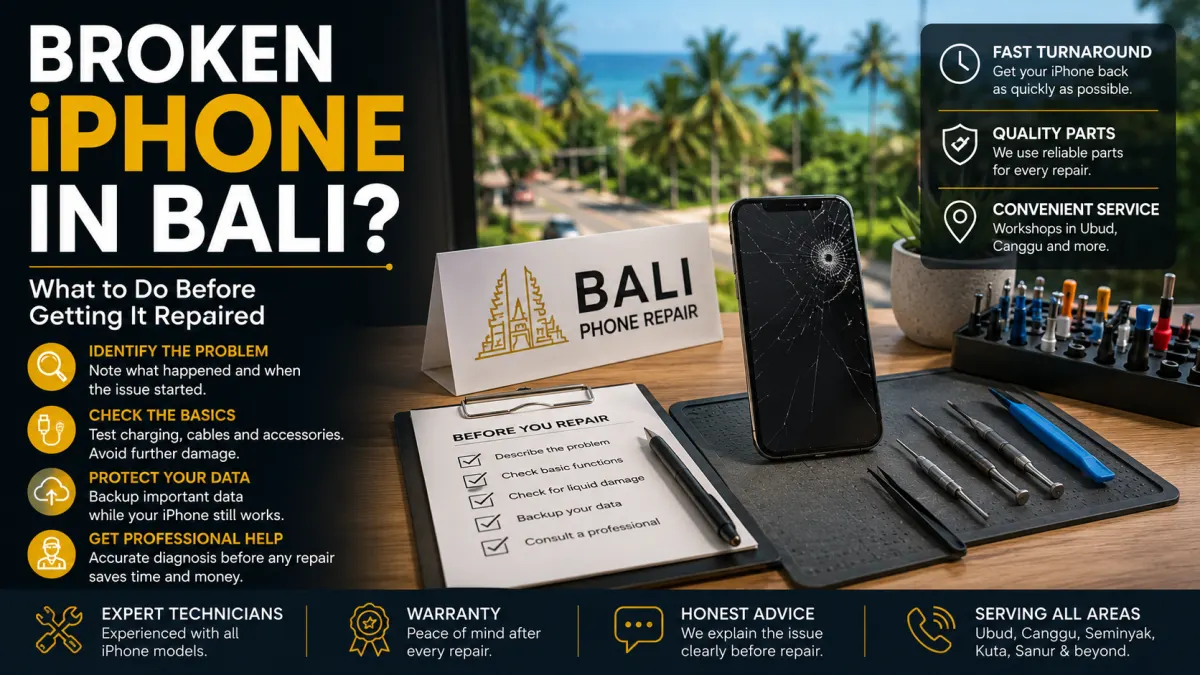
A broken iPhone can quickly become a serious inconvenience in Bali, especially when you depend on it for maps, transport, hotel bookings, banking, work, photography, or communication.
But a damaged iPhone does not always need the repair you might expect.
A black screen after a drop may be a display problem, but it can also involve other components. An iPhone that suddenly stops charging may have a cable, charging port, battery, contamination, or hardware issue. Liquid exposure can create problems that are not immediately visible.
Before arranging an iPhone repair in Bali, a few simple checks can help you understand the situation and provide useful information to the technician.
Start with the event that happened immediately before the problem appeared.
Did you drop the iPhone? Did it get wet? Did the battery suddenly begin draining quickly? Did charging become intermittent? Or did the phone stop working without any obvious physical damage?
Useful information includes:
These details can make the initial diagnosis much more useful than simply saying that the phone is broken.
Dropping an iPhone can damage more than the visible glass.
After an impact, check whether the display shows lines, black areas, flickering, unusual colours, or problems with touch response. Also check whether the frame appears bent or the screen has started separating from the enclosure.
If the screen is damaged but the phone still works, avoid repeatedly pressing cracked areas or attempting to remove broken glass yourself.
For more information about display damage, read our iPhone Screen Replacement Bali guide.
A charging failure does not automatically mean the charging port needs replacement.
If it is safe to do so, try a known-good compatible cable, adapter, and power source. Check whether charging works consistently or only when the cable is positioned in a particular way.
Do not insert metal objects into the charging port in an attempt to clean it.
If the iPhone recently became wet, avoid repeatedly connecting a charging cable while moisture may still be present.
Our iPhone Not Charging in Bali guide explains the broader causes and troubleshooting steps.
Bali's beaches, pools, rain, humidity, boats, and outdoor activities make liquid exposure an especially relevant risk for phones.
If your iPhone has been exposed to liquid and begins behaving abnormally, do not assume that drying the outside means the inside is unaffected.
Avoid unnecessary charging and do not deliberately heat the device with a hair dryer or other high-temperature source.
Liquid-related symptoms can develop differently depending on what entered the device and which components were affected.
See our iPhone Water Damage Repair Bali guide for more information.
If the iPhone remains functional and can be used safely, consider making a current backup before repair.
This is particularly useful if the phone contains important travel information, photographs, work files, contacts, authentication applications, or other data you cannot easily replace.
The appropriate backup method depends on your device and available storage, but having an up-to-date backup is a sensible precaution whenever a device develops significant hardware problems.
Several different faults can produce similar symptoms.
For example, poor battery life does not necessarily mean the battery is defective. Charging failure does not necessarily mean the charging port has failed. A black screen does not necessarily mean the entire phone is dead.
This is why diagnosis matters.
A professional inspection can help determine whether the problem involves the screen, battery, charging system, liquid contamination, or another component before parts are replaced unnecessarily.
If you contact an iPhone repair service in Bali, providing the right information can make the process easier.
Send:
If you are visiting Bali, it can also be useful to mention how long you will remain in your current area.
Yes, depending on the problem, device model, replacement part availability, location, and technician schedule.
This can be particularly important for visitors who need their phone for navigation, flights, accommodation, ride-hailing, communication, or work.
If you are staying at a hotel, villa, home, or office, provide your location when contacting Bali Phone Repair so the available service options can be checked.
There is no single repair time that applies to every damaged iPhone.
A straightforward repair can be very different from diagnosing liquid damage, multiple faults, severe impact damage, or an intermittent hardware problem.
Repair time can also depend on the exact iPhone model and replacement part availability.
For that reason, sending the model and symptoms before arranging service is preferable to assuming that every repair can be completed within the same timeframe.
If your iPhone has been dropped, cracked, exposed to liquid, stopped charging, developed battery problems, or suddenly stopped working correctly, Bali Phone Repair can inspect the device and help identify the appropriate next step.
When contacting us, send your iPhone model, describe what happened, explain the current symptoms, and provide your location in Bali.
For broader diagnosis and available repair services, visit our iPhone Repair Bali service page.
Need professional help?
Send your device model, issue, photos, and location so our team can suggest the next practical step.
Related articles
Need iPhone repair while travelling in Bali? Learn what tourists should check before repair, what information to provide, and how to arrange practical repair support during your trip.
Read articleIs your iPhone touch screen not working in Bali? Learn common causes of unresponsive or erratic touch, safe checks to try, and when professional diagnosis may be needed.
Read articleDoes your iPhone keep restarting in Bali? Learn common causes of random restarts and boot loops, what you can safely check, and when professional diagnosis may be needed.
Read article