iPhone Repair
iPhone Water Damage Repair Bali – Professional Liquid Damage Service
Need iPhone water damage repair in Bali? Learn how liquid-damaged iPhones are diagnosed, what repair may involve, and when professional inspection is recommended.
 Bali Phone RepairRepair - Trade - Rental
iPhone Repair
Need iPhone water damage repair in Bali? Learn how liquid-damaged iPhones are diagnosed, what repair may involve, and when professional inspection is recommended.
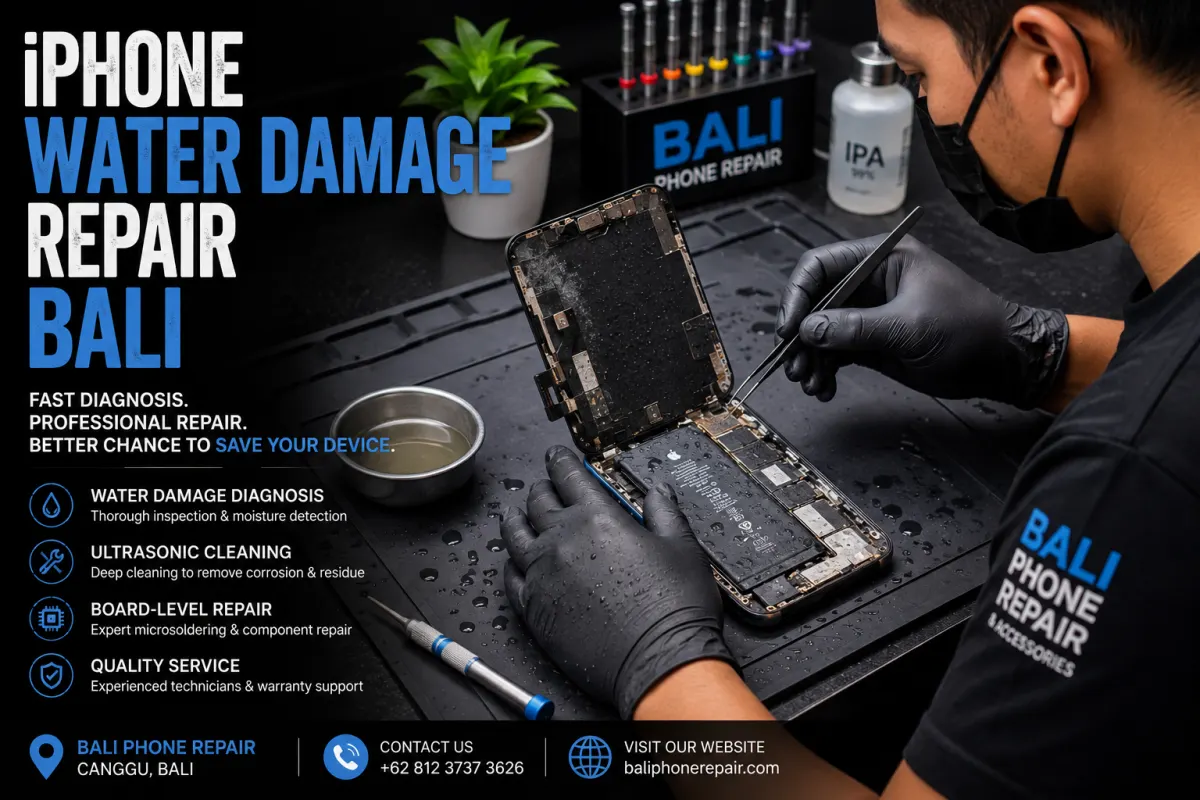
Water exposure can cause very different problems depending on how the iPhone became wet, the type of liquid involved, and how long moisture remained inside the device. If your iPhone was dropped in a pool, exposed to seawater, soaked by heavy rain, or affected by another liquid, the safest next step is to avoid charging it until the condition of the device is clearer.
At Bali Phone Repair, we inspect liquid-damaged iPhones to identify which components may have been affected before recommending a repair. The problem may involve the charging system, battery, display, cameras, connectors, or internal circuitry, so diagnosis is important before replacing parts.
If the liquid exposure has just happened, disconnect any charging cable or accessory and avoid repeatedly testing the phone.
If you need immediate guidance after liquid exposure, read our iPhone Water Damage Bali guide for the first steps to take and common mistakes to avoid.
Some iPhones continue working immediately after getting wet but develop symptoms later. Liquid can affect different components, and corrosion may develop even after visible moisture has disappeared.
Common symptoms worth investigating include:
These symptoms do not automatically mean that a specific component needs replacement. Inspection is needed to determine what has actually been affected.
Professional iPhone water damage repair should begin with diagnosis rather than immediately replacing the battery, screen, or charging port.
The inspection may include checking for visible liquid intrusion, corrosion, damaged connectors, charging problems, battery behaviour, display faults, and other affected components.
Depending on the condition of the device, further cleaning, connector work, component replacement, or board-level diagnosis may be appropriate.
The recommended repair depends on what is found during inspection. Two iPhones exposed to water can require completely different solutions even when their initial symptoms appear similar.
No. Liquid exposure does not automatically mean the battery, charging port, display, or logic board must be replaced.
In some cases, the main issue may be contamination or corrosion around a connector. In others, one or more components may have been damaged and require repair or replacement.
This is why diagnosing the device first is more useful than choosing a replacement part based only on the symptom.
Charging problems are common after an iPhone has been exposed to liquid. Moisture, debris, corrosion, connector damage, or another internal fault may interfere with wired charging.
If the iPhone does not charge normally after it has had sufficient time to dry, avoid repeatedly forcing the cable into the connector.
For charging-specific diagnosis, see our iPhone Charging Port Repair Bali guide.
Liquid exposure can also affect the display or touchscreen. Symptoms may include flickering, vertical lines, dark areas, touch problems, unusual colours, or a completely black screen.
A damaged display is one possibility, but similar symptoms can sometimes involve connectors or other internal components. The device should therefore be inspected before assuming that a screen replacement alone will solve the problem.
If the display itself has been damaged, you can also read about iPhone Screen Replacement Bali.
Yes. The type of liquid matters.
This is particularly important in Bali, where iPhones are frequently used around beaches, swimming pools, boats, and other outdoor activities. Seawater contains salt and minerals that can remain inside the device after the visible moisture has evaporated.
Pool water and drinks can also leave contaminants behind. If your iPhone was submerged rather than briefly splashed, or was exposed to seawater or another contaminated liquid, professional inspection becomes more important.
Many liquid-damaged iPhones can be repaired, but no technician can responsibly guarantee the outcome without inspecting the device.
The repairability of an iPhone depends on factors such as the type of liquid, duration of exposure, affected components, corrosion, previous repair attempts, and whether the device was charged while moisture was still present.
After inspection, the technician can explain what was found and which repair options are appropriate for the condition of the device.
Bali Phone Repair provides iPhone diagnosis and repair for both Bali residents and visitors who need practical help with a damaged device.
For other iPhone problems and repair options, visit our iPhone Repair Bali service.
If the iPhone develops charging problems, display issues, unusual heat, restarting, camera problems, or other abnormal behaviour after liquid exposure, inspection should not be unnecessarily delayed. Avoid repeatedly charging or testing a device that may still contain moisture.
It may be possible, but the condition must be inspected first. Seawater is particularly concerning because salt and minerals can remain inside the device and contribute to corrosion.
Not necessarily. Moisture or corrosion may affect charging, but the charging port is only one possible cause. Diagnosis should determine whether the connector, charging system, or another component is responsible.
Yes. Some liquid-related symptoms can appear later, particularly when contamination or corrosion remains inside the device. Watch for changes in charging, battery life, display behaviour, cameras, speakers, microphones, and device temperature.
No. Rice is not a professional repair method and particles can enter the connector. Allow the device to dry with natural airflow and avoid inserting objects into the charging port.
The cost depends on what has been damaged. Liquid exposure can affect different components, so an accurate repair recommendation and price normally require diagnosis of the individual device.
If your iPhone has been exposed to rain, pool water, seawater, or another liquid and is now showing problems, Bali Phone Repair can inspect the device and help identify the appropriate next step.
When contacting us, send your iPhone model, explain what liquid it was exposed to, approximately when it happened, and describe the symptoms you are experiencing now.
This information can help us understand the situation before you arrange an inspection.
Need professional help?
Send your device model, issue, photos, and location so our team can suggest the next practical step.
Related articles
Looking for fast, same-day iPhone camera glass repair in Bali? Learn where to get express lens replacements in Canggu, Ubud, or Seminyak with villa pickup.
Read articleDiscover how iPhone screen replacement costs in Bali compare to official Apple Stores, with transparent IDR pricing, turnaround times, and villa pickup options.
Read articleLearn how to safely clean beach sand and ocean moisture from your iPhone charging port in Bali with expert tips, pricing, and fast local repair options.
Read article